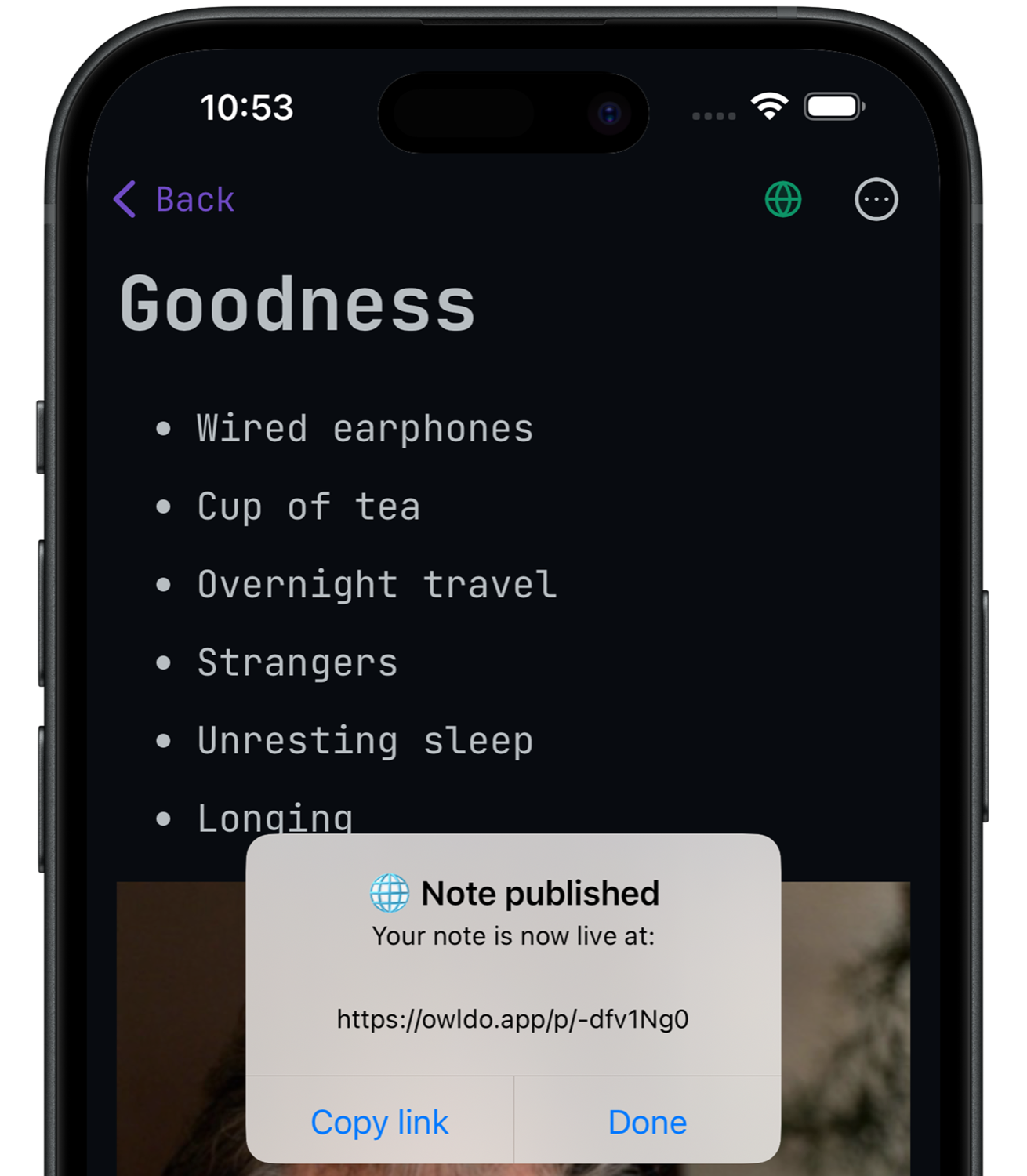
Your public front door
Every Owldo user gets a public blog at owldo.app/[you]
Write a note. Toggle “publish”. It's live.
See it live at owldo.app/muse →The offline-first workspace for your notes, tasks, and your own blog at owldo.app/you
Your public front door
owldo.app/[you]Write a note. Toggle “publish”. It's live.
See it live at owldo.app/muse →
Capture. Write on a plane, in a basement, anywhere. Offline-first, so it's instant — everything syncs the moment you're back online. Nothing lost.
Shape. Tasks & notes organised by common Spaces. The idea that sparked a task lives next to the task, and the draft grows next to both. Because that's how thinking actually works, not in silos.
Publish. When it's ready, ship it to the world with one tap — your own page at owldo.app/you, your own domain, no algorithm deciding who sees it. The rest stays private. Attach a custom domain if you want to.
One price for your productivity super app that replaces your notes app, tasks app and your blog host. No platform cut.
Owldo is built for writers who want their own home, indie devs & builders, and thinkers who keep tasks and notes together. If you keep a notebook and ship posts — or want a fast, offline alternative to Notion, Substack, or Ghost — Owldo unifies your notes, tasks, and a one-tap public blog in one offline-first workspace.
Yes. Owldo is free to use on any number of devices with tasks, notes, Spaces, a Pomodoro timer, and publishing up to 5 notes. Syncing across all your devices and unlimited publishing is $3/month ($36/year).
Completely. Owldo is offline-first — every task and note is stored in a local database on your device, so it works with no connection and syncs automatically when you are back online.
Owldo runs natively on macOS, Windows, iOS, and Android. The same tasks and notes sync across all of them.
Yes — any note can be published in one tap to your own page at owldo.app/you, with an optional custom domain on the paid plan.
Owldo unifies tasks and notes in one fast, offline app — and any note can be published to the web in one tap. Notion is a configurable database tool; Todoist is tasks-only; neither gives your writing a public home. Owldo keeps the idea, the task, and the published post in the same Space.
For writing and publishing on your own page — with a custom domain and a subscriber newsletter — yes, at a flat $3/month with no revenue cut and no server to run. Owldo does not process paid reader subscriptions yet, so if you charge readers today, keep that in mind. See the Owldo vs Substack and Owldo vs Ghost comparison pages for details.
Yes. Owldo is local-first — your data lives on your device and syncs only if you choose. You can export everything, and optional end-to-end encryption is built in. Only the notes you explicitly publish ever become public.


